What's Wayground?
Wayground is an education platform helping teachers and school admins drive student outcomes with tools to create content like assessments & lessons, track student understanding, content libraries and more.
Problem statement
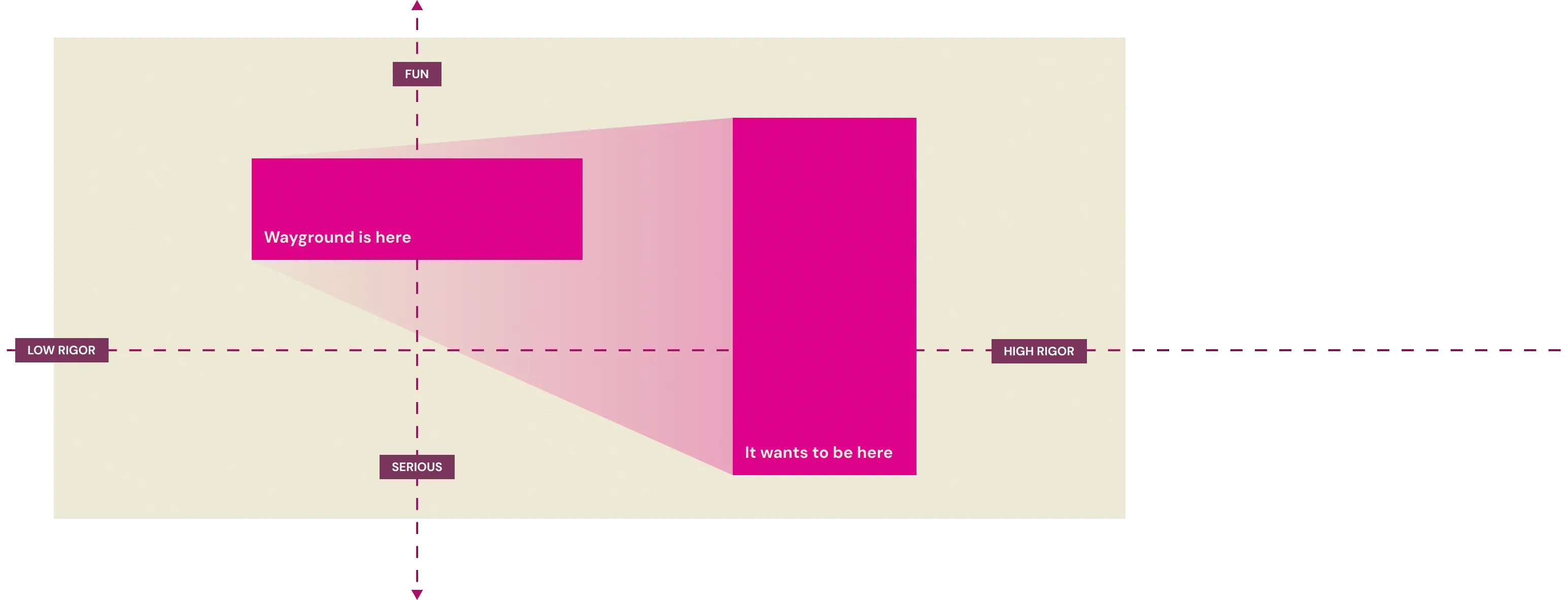
We have been adding various question types that appear in US state tests to our assessments tool to strengthen our key moat - help districts prepare students for state tests while giving teachers and students a more engaging classroom experience.
Hot Text is a common question type on English US state tests, and we needed to add support for it.
How Hot text works
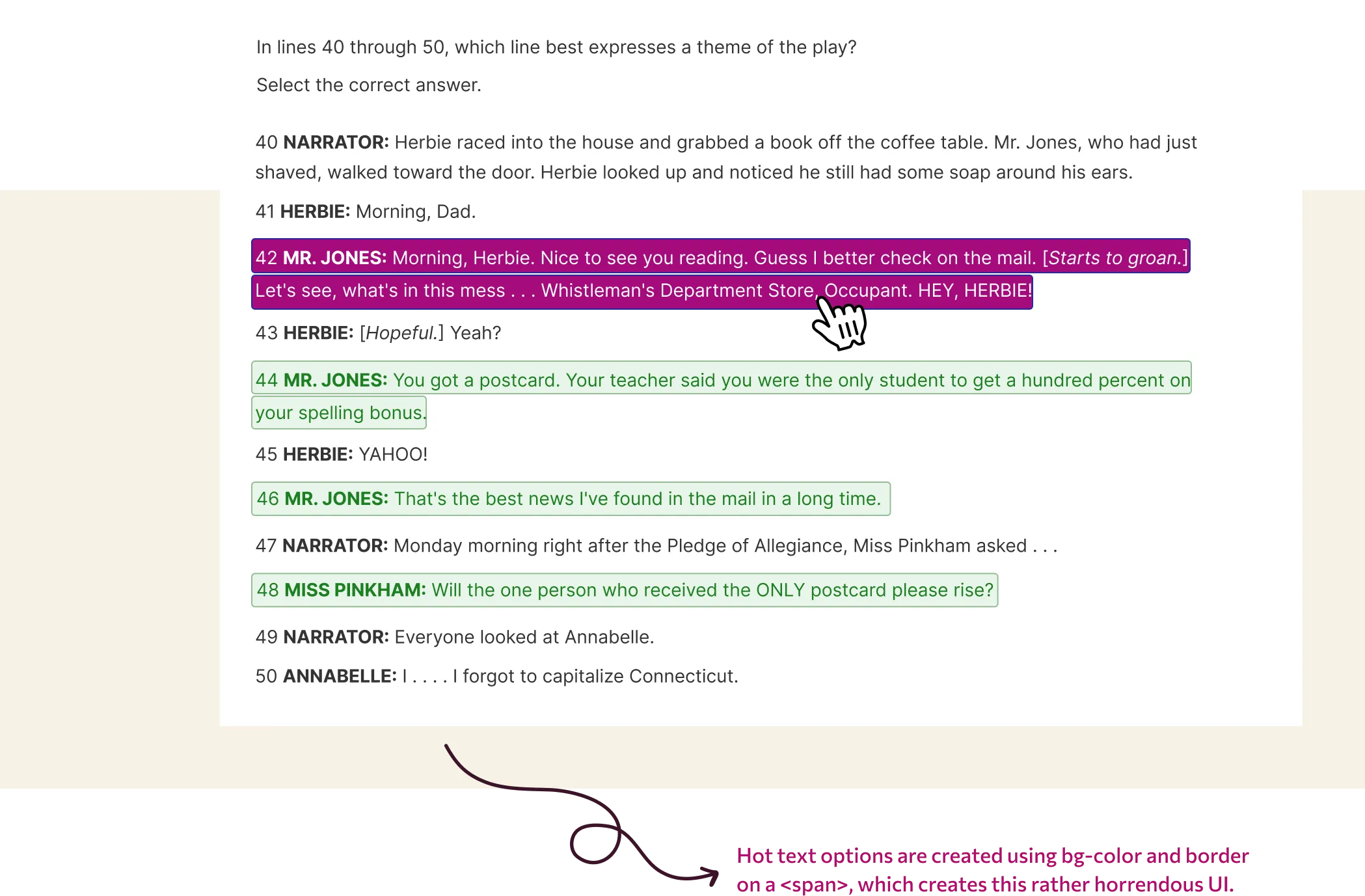
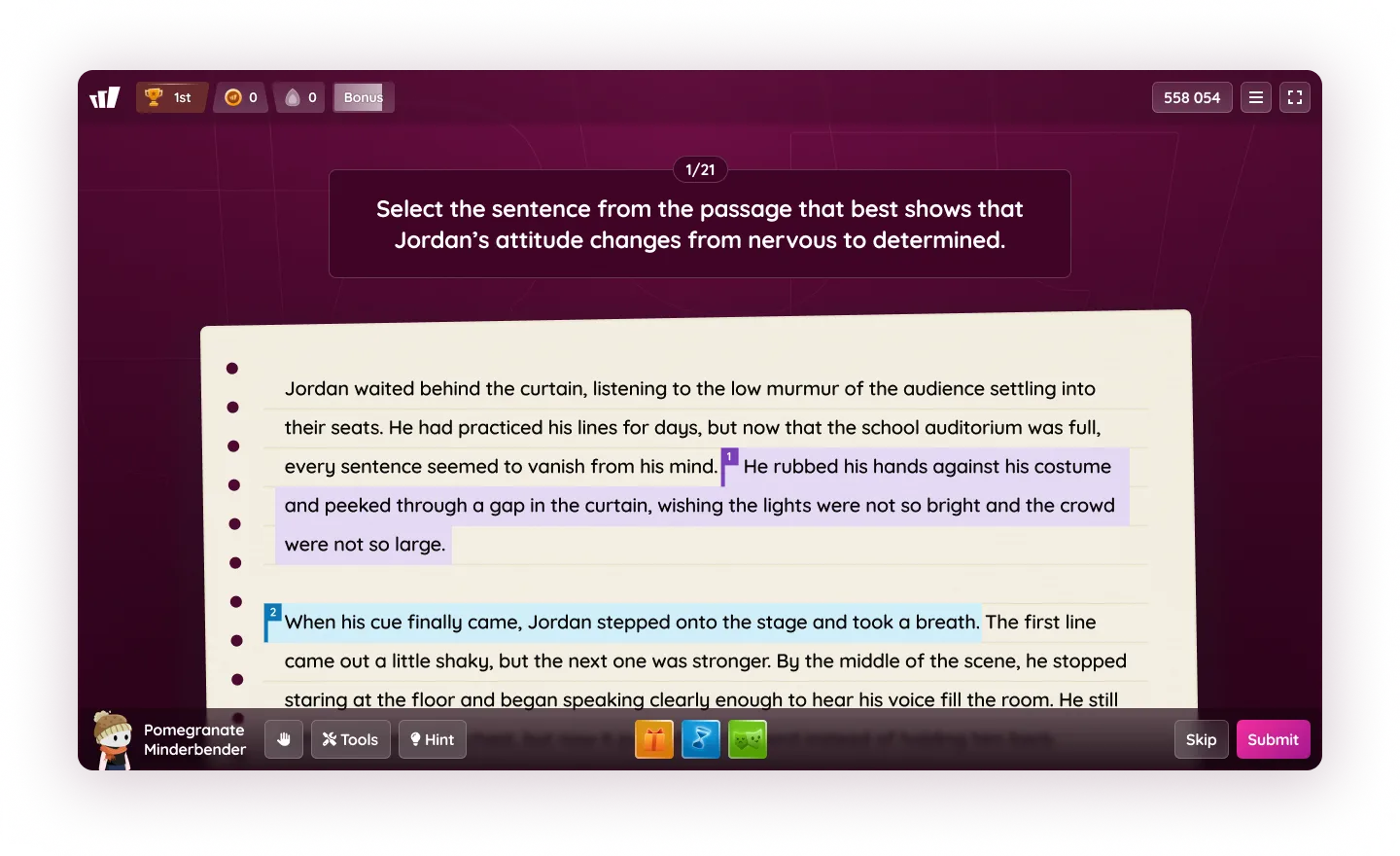
Hot Text is simple - students select specific words, phrases, or sentences from a provided text to answer a question. It's basically prettier MCQs.
Making Hot text fun
We wanted Wayground’s Hot text to be visually engaging and fun for students without losing functional parity with state tests.
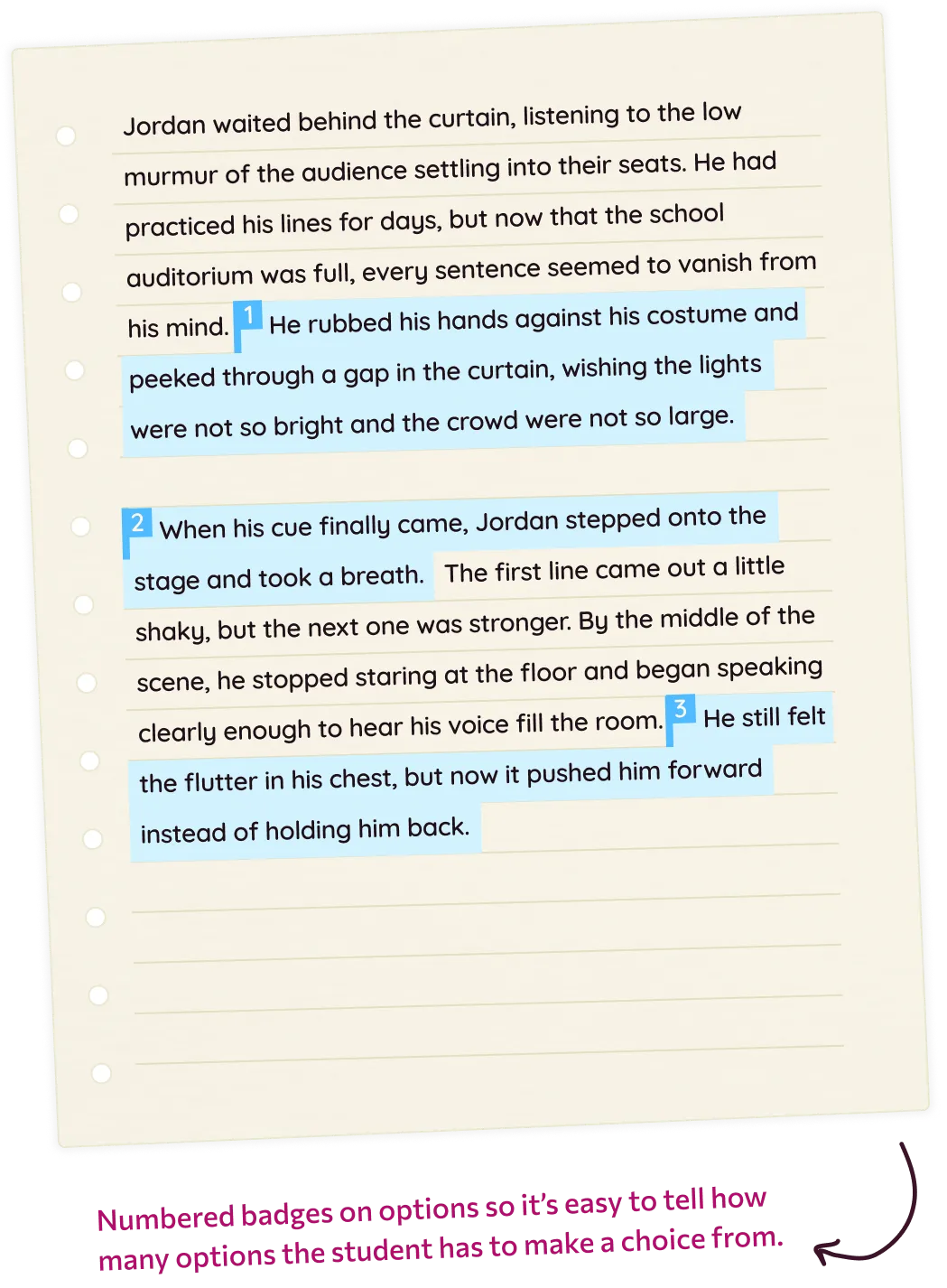
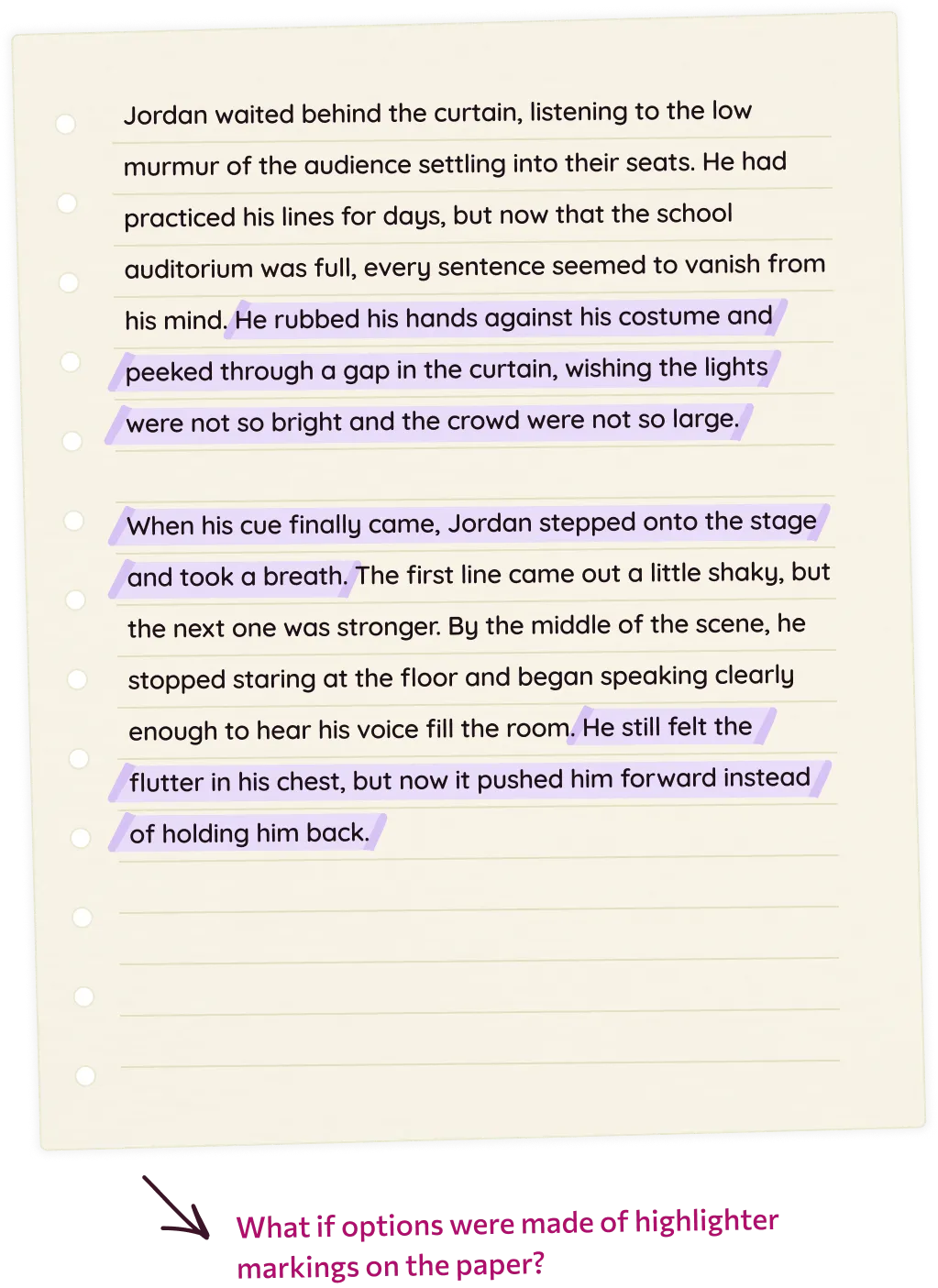
I iterated over a variety of approaches before landing on “paper with highlighter markings as options” metaphor. This evoked a feeling a tangibility and playfulness that the team liked.
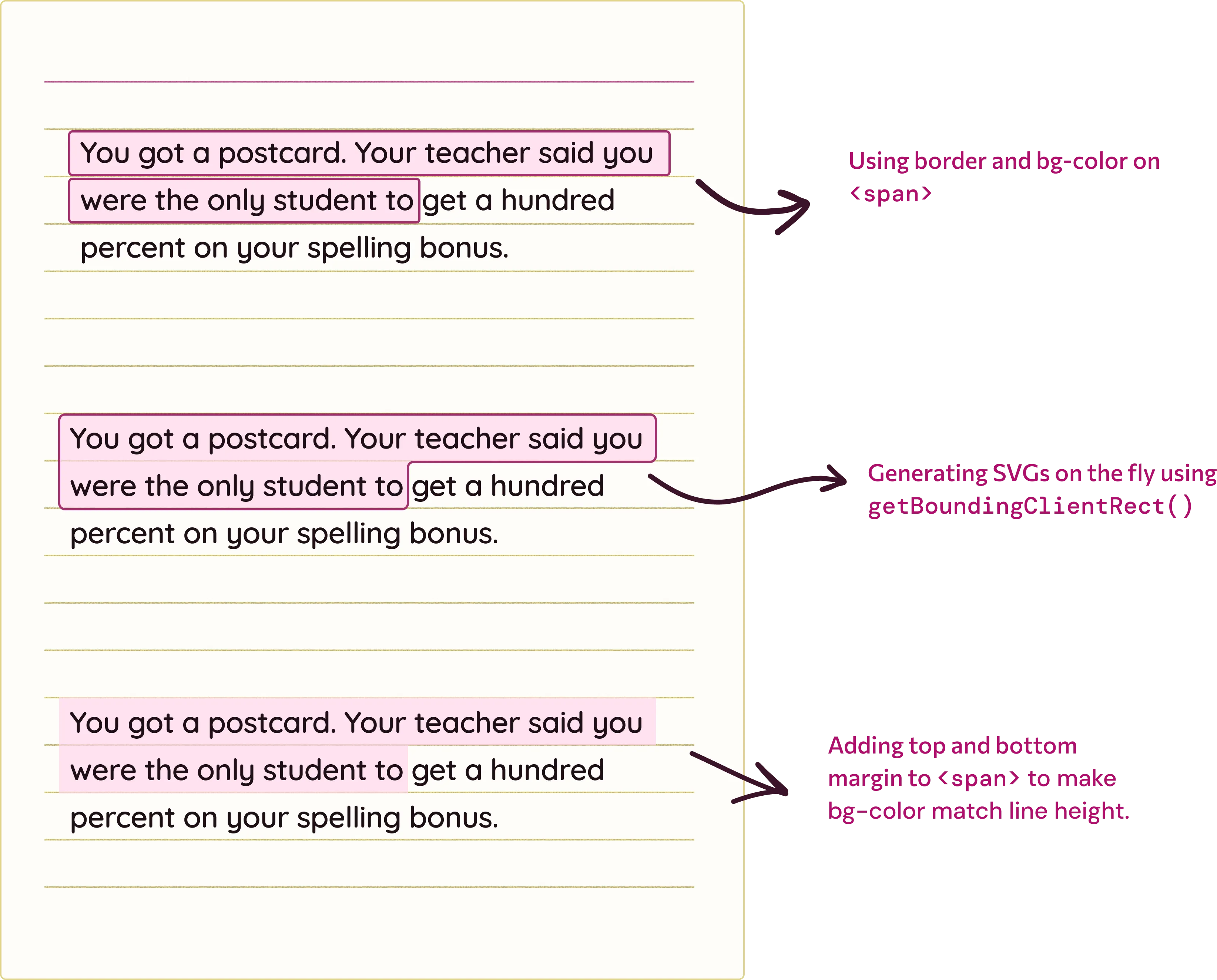
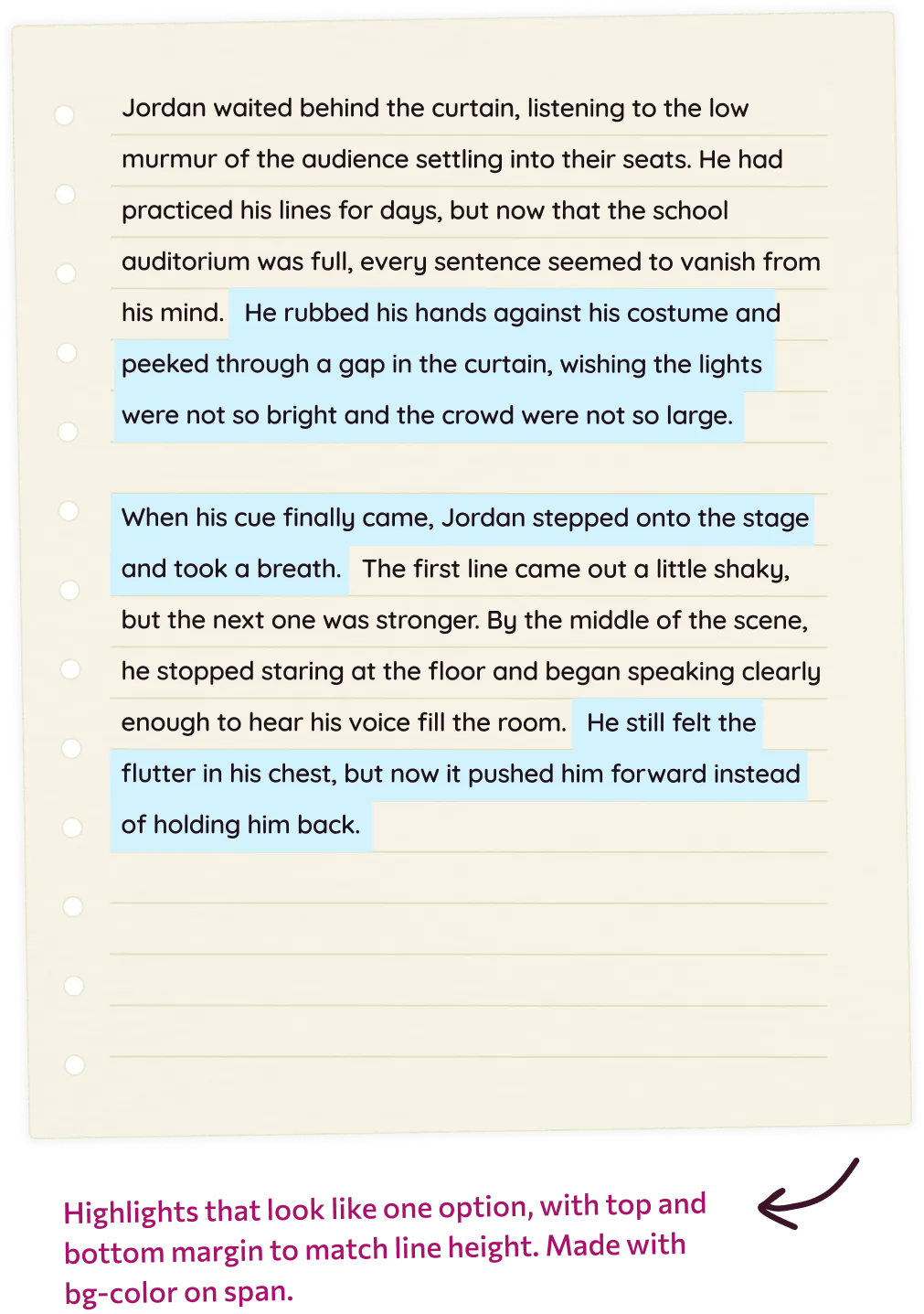
There are a variety of ways to recreate highlights in code as shown below.
Using generated SVGs for creating highlights
Click to read more about this Click again to collapse this section
Using generated SVGs for creating highlights
Click to read more about this Click again to collapse this section
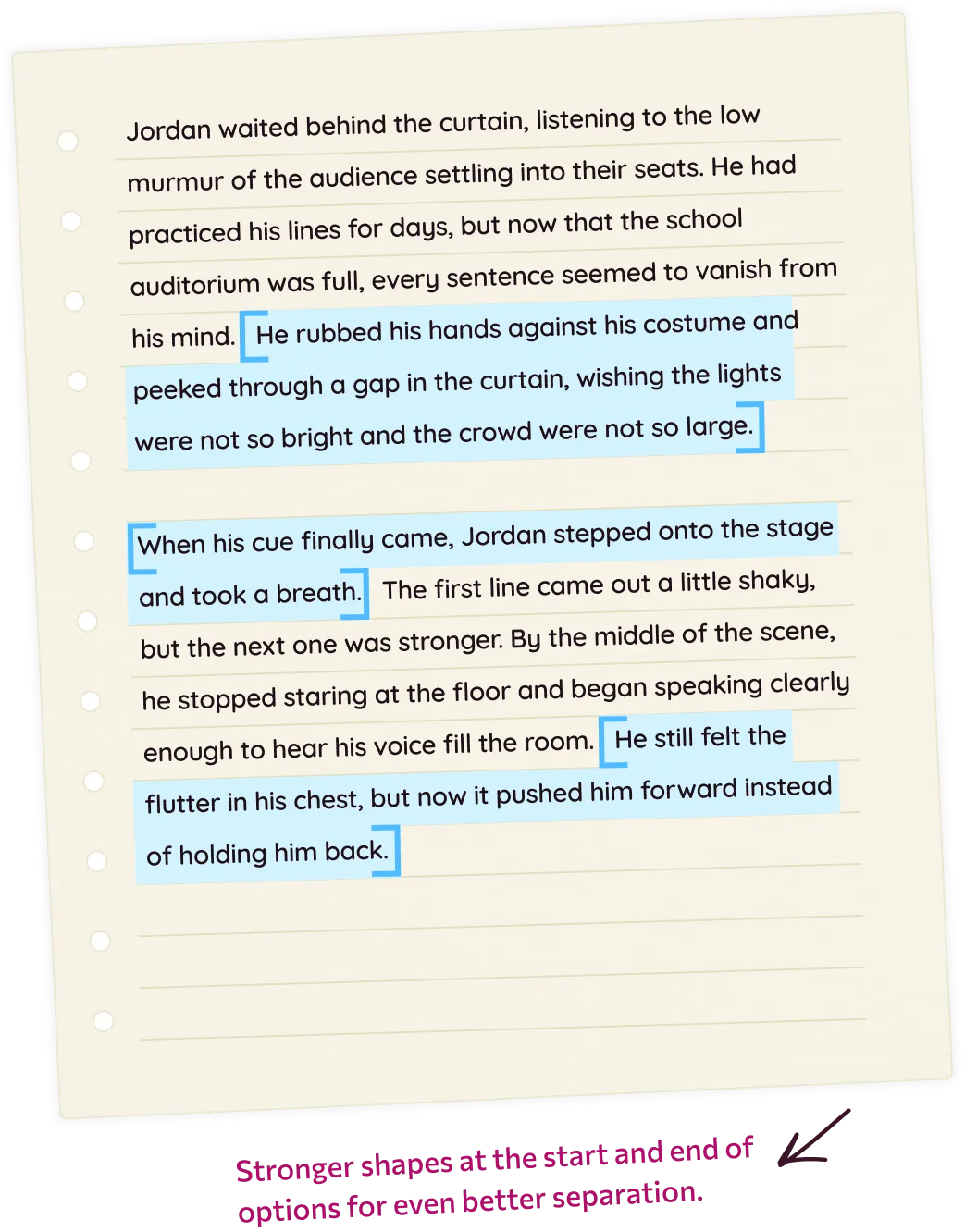
To make highlight options look like one cohesive entity, one of the ideas was to add a border around the highlight options with some softness through corner radius.
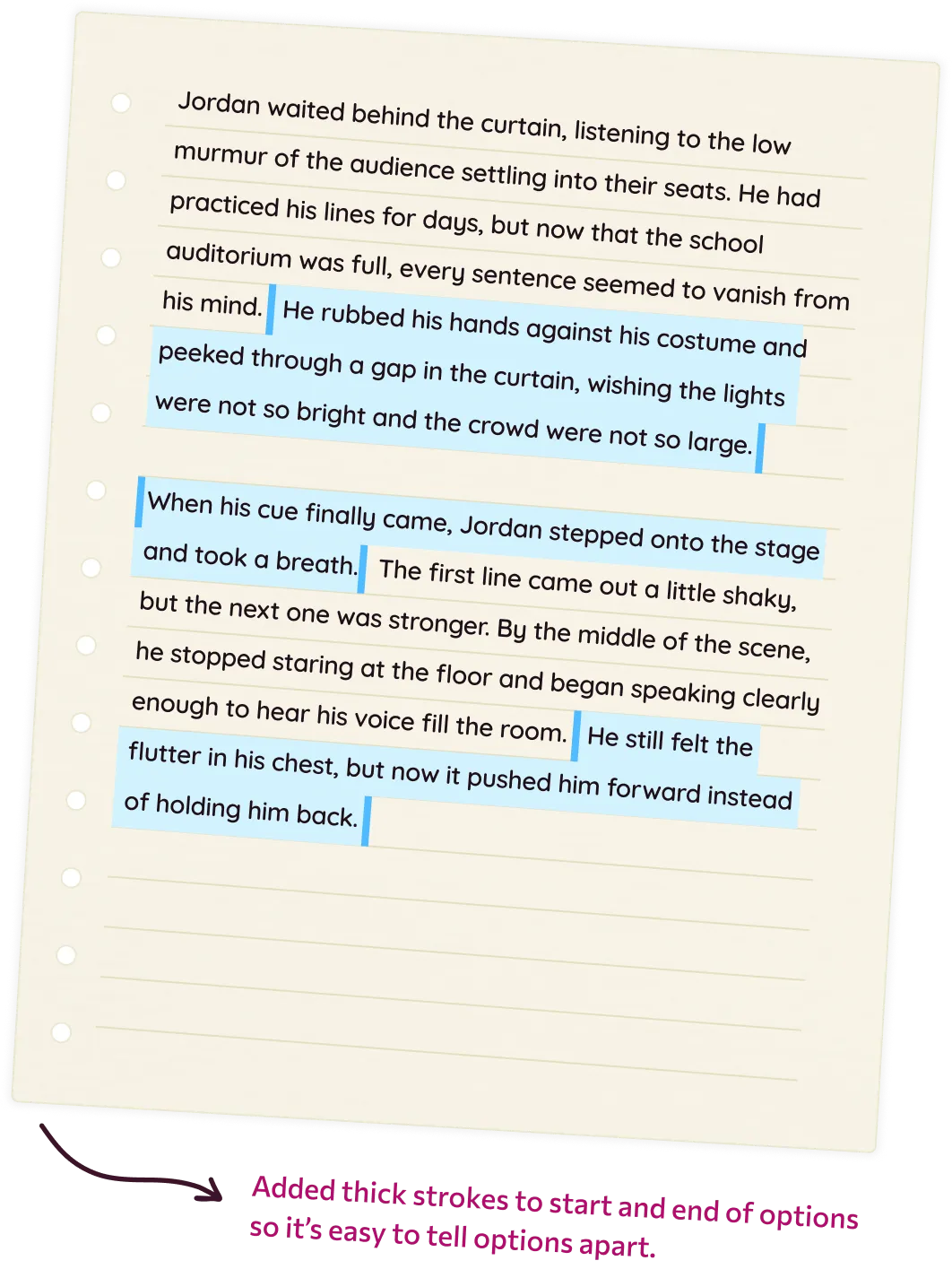
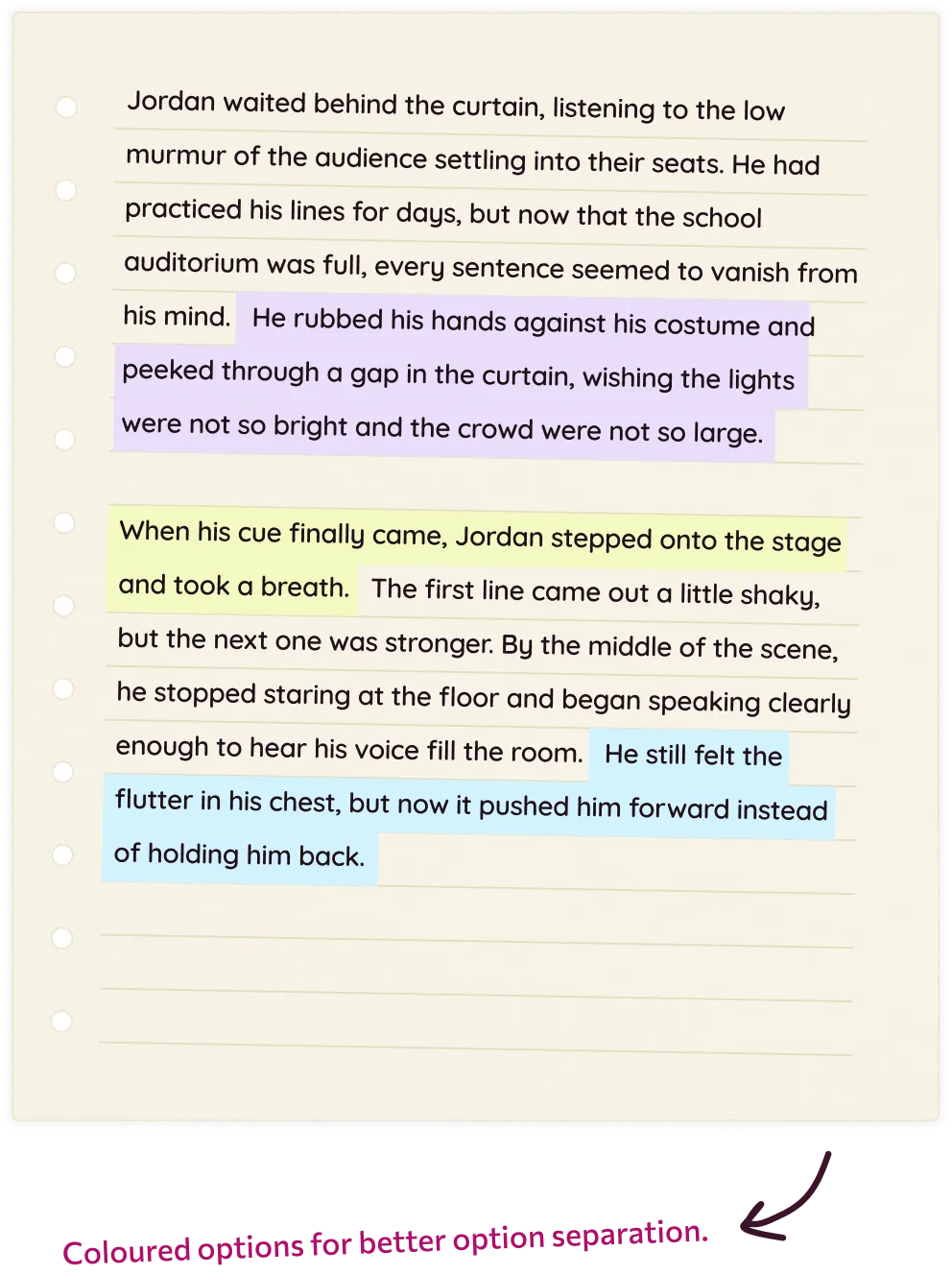
The border would create separation that would help students differentiate between two consecutive sentence options. This is a common scenario in state tests’ hot text where almost everything is an option.
Below is the code snippet that dynamically creates SVG bounding boxes with border. Codepen link to prototype here.
<script>
     function drawPolygonHighlights() {
       const container = document.getElementById("text-wrapper");
       if (!container) return;

       container
         .querySelectorAll(".highlight-polygon-svg")
         .forEach((el) => el.remove());

       const spans = container.querySelectorAll("[data-highlight]");
       if (!spans.length) return;

       const containerRect = container.getBoundingClientRect();

       spans.forEach((span) => {
         const range = document.createRange();
         range.selectNodeContents(span);
         const rects = range.getClientRects();
         if (!rects.length) return;

         const paddingX = 6;
         const paddingY = 4;

         // Normalise rects to container coordinates
         const boxes = Array.from(rects).map((r) => ({
           left: r.left - containerRect.left - paddingX,
           right: r.right - containerRect.left + paddingX,
           top: r.top - containerRect.top - paddingY,
           bottom: r.bottom - containerRect.top + paddingY,
         }));

         // Sort top -> bottom
         boxes.sort((a, b) => a.top - b.top);

         const n = boxes.length;
         const first = boxes[0];

         let d = "";

         // --- TOP / RIGHT STAIRCASE ---

         // Start at top-left of first line
         d += `M ${first.left} ${first.top}`;
         // Along top of first line
         d += ` L ${first.right} ${first.top}`;

         // For each subsequent line, step down/right following the outer boundary
         for (let i = 1; i < n; i++) {
           const prev = boxes[i - 1];
           const cur = boxes[i];

           // Down from previous top to this line's top at old right edge
           d += ` L ${prev.right} ${cur.top}`;
           // Then horizontally to this line's right edge
           d += ` L ${cur.right} ${cur.top}`;
         }

         const last = boxes[n - 1];

         // Down the right edge of the last line
         d += ` L ${last.right} ${last.bottom}`;

         // --- BOTTOM / LEFT STAIRCASE ---

         // Along bottom of last line to its left edge
         d += ` L ${last.left} ${last.bottom}`;

         // Walk back up through lines, stepping at left edges
         for (let i = n - 1; i > 0; i--) {
           const cur = boxes[i];
           const prev = boxes[i - 1];

           // Up from this line's bottom to previous line's bottom at same left
           d += ` L ${cur.left} ${prev.bottom}`;
           // Then along previous line's bottom to its left edge
           d += ` L ${prev.left} ${prev.bottom}`;
         }

         // Close back to starting top-left
         d += ` Z`;

         const svgNS = "http://www.w3.org/2000/svg";
         const svg = document.createElementNS(svgNS, "svg");
         svg.classList.add("highlight-polygon-svg");

         const path = document.createElementNS(svgNS, "path");
         path.setAttribute("d", d);
         path.setAttribute("fill", "rgba(184, 218, 255, 0.9)");
         path.setAttribute("stroke", "#2b8cff");
         path.setAttribute("stroke-width", "3");
         path.setAttribute("stroke-linejoin", "round");

         svg.appendChild(path);
         container.appendChild(svg);
       });
     }

     drawPolygonHighlights();
     window.addEventListener("resize", drawPolygonHighlights);
   </script>
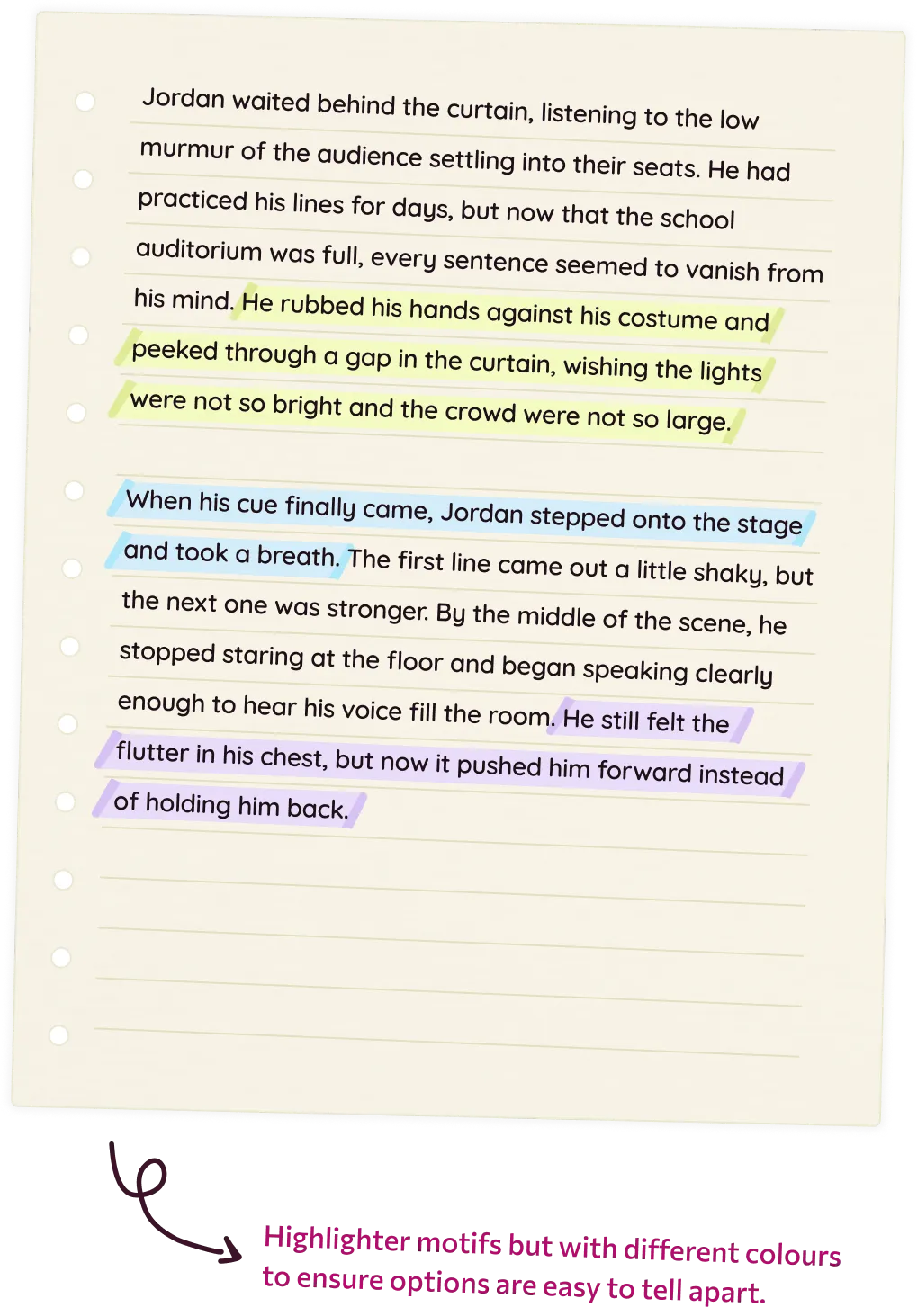
But what if highlights were literally highlighter pen markings? How will highlights work if two sentence options are adjacent to each other?
I tinkered around with the highlight metaphor quite a bit and made the paper feel more tactile as you can see below.
Impact
Most teachers in the US are slow adopters of new capabilities. Feature work takes time to mature. For question types, we stopped tracking adoption metrics early in the release cycle and focus on CSAT scores to make iterative improvements.
As I am writing this, Hot text has a CSAT of 4.2/5. 1000+ teachers have used Hot text in their classrooms.